


AI presentation and content generation tools have become a core part of modern workflows, and Gamma is one of the leading platforms for creating presentations, documents, and web-style content using AI in 2026. As the global AI productivity software market continues to grow rapidly. Understanding Gamma pricing is essential so you can choose a plan that fits your needs today and scales efficiently as your content demands increase.
This guide breaks down every Gamma plan, explains how usage limits and features work, and shows what Gamma cost looks like for creators, teams, educators, and businesses. You’ll learn which tier offers the best value at different usage levels, how to avoid limitations, and when it makes sense to upgrade to higher or custom plans.
What Is Gamma Pricing Based On?
Gamma pricing is primarily based on AI usage limits, features, and collaboration capabilities, rather than credits tied to characters or minutes. Instead of a pay-per-unit model, Gamma uses a more straightforward subscription approach focused on how much content you create and how you use the platform.
At its core, Gamma pricing depends on:
- AI generation limits (presentations, documents, and edits per month)
- Access to premium templates and design tools
- Collaboration features (sharing, team workspaces, permissions)
- Performance and priority access for faster content generation
Higher tiers increase your monthly AI usage allowance, unlock more advanced customization options, enable better collaboration, and improve overall performance for heavier workflows.
Most plans follow a simple structure: a fixed monthly fee, a defined level of AI usage, and feature access based on the tier (Free, Plus, Pro, Team, Enterprise). Unlike credit-based platforms, Gamma typically does not charge per extra unit of usage—instead, you may need to upgrade your plan if you exceed your limits.
As you move from Free to Plus, Pro, and Team plans, the overall value improves through higher usage capacity and more advanced features, making higher tiers more efficient for frequent users, teams, and businesses creating content at scale.
Gamma Plans and Monthly Cost
Gamma follows a simple pricing model with a Free plan and a few paid tiers designed for individuals and teams.
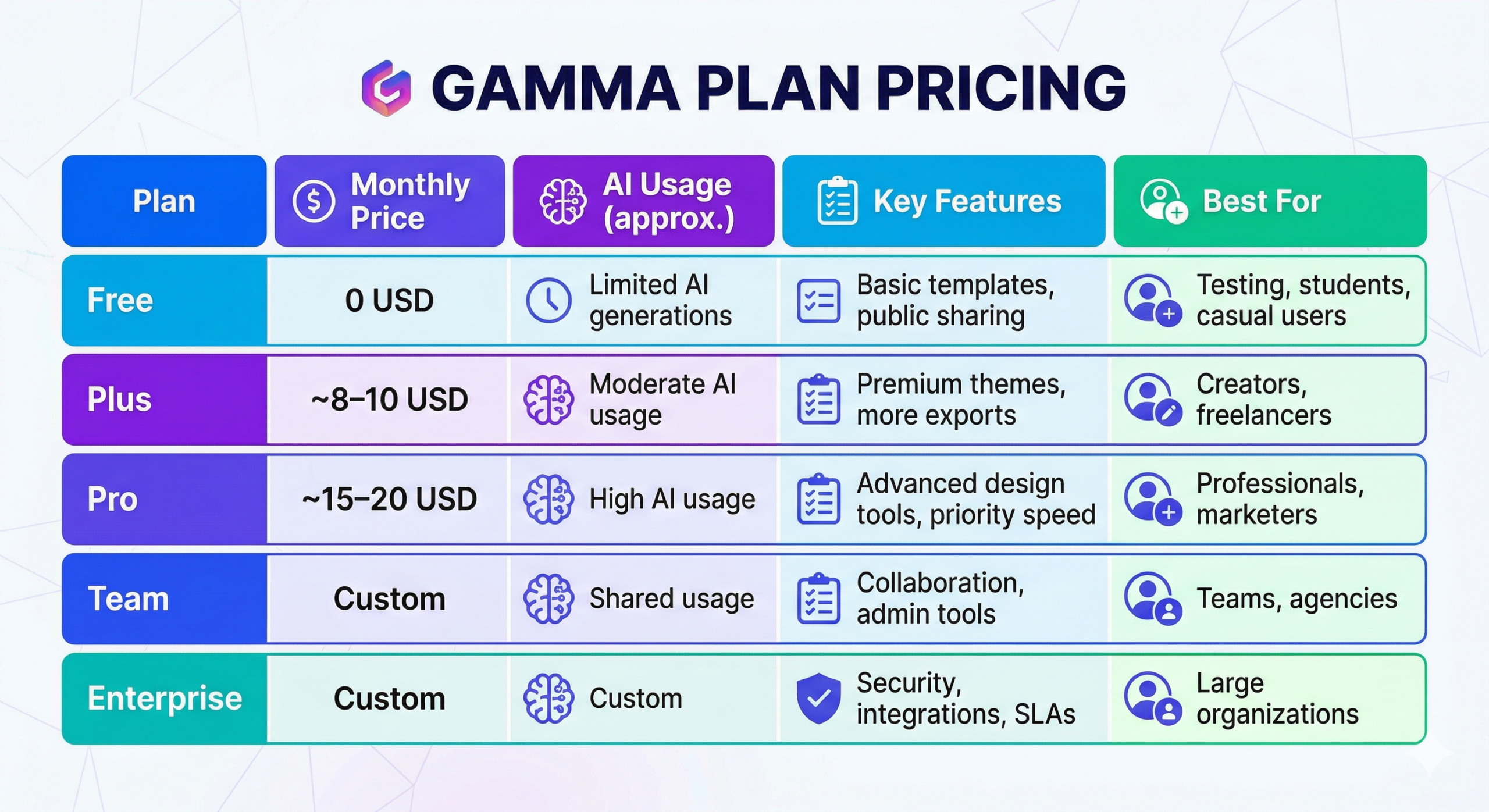
Core Plans and Typical Gamma Cost
| Plan | Monthly Price | AI Usage (approx.) | Key Features | Best For |
| Free | 0 USD | Limited AI generations | Basic templates, public sharing | Testing, students, casual users |
| Plus | ~8–10 USD | Moderate AI usage | Premium themes, more exports | Creators, freelancers |
| Pro | ~15–20 USD | High AI usage | Advanced design tools, priority speed | Professionals, marketers |
| Team | Custom | Shared usage | Collaboration, admin tools | Teams, agencies |
| Enterprise | Custom | Custom | Security, integrations, SLAs | Large organizations |
How Usage Limits and Overages Work
With Gamma, there is no direct credit-to-minute or character conversion like in voice-based AI platforms. Instead, usage is based on AI generation limits, which cover how many presentations, documents, and edits you can create within a billing cycle.
Rather than assigning a fixed value per action, Gamma tracks overall activity such as content creation, rewriting, and design generation. Most plans include a defined monthly usage allowance, and higher tiers provide significantly more capacity along with faster performance and additional features.
When you reach your limit, Gamma typically does not switch to automatic usage-based billing. Instead, you may need to upgrade to a higher plan or wait until your usage resets in the next billing cycle. This makes costs more predictable compared to metered systems.
This model works well for steady and predictable workflows, but users should still monitor their usage. Heavy usage—such as creating multiple presentations, frequent regenerations, or team-wide collaboration—can quickly exhaust limits, making higher-tier plans more cost-effective for consistent, high-volume use.
How Much Does Gamma Cost?
Gamma pricing in 2026 starts with a Free plan at 0 USD/month for light, non-intensive use, then scales through paid tiers at approximately 8–10 USD (Plus) and 15–20 USD (Pro) per month as AI usage limits, design capabilities, performance, and collaboration features increase. Team and Enterprise plans are custom-priced based on the number of users, usage needs, and advanced requirements like security and integrations.
Which Gamma Plan Is Best for You?
Choosing the right Gamma pricing tier comes down to three key factors: how frequently you create content, how heavily you rely on AI generation, and whether you need collaboration or team features. Most users start with Free or Plus, while professionals and teams often move to Pro or Team plans for better performance and higher limits.
For creators, marketers, and freelancers
Testing & hobby use:
The Free plan is ideal for exploring Gamma’s features, testing AI-generated presentations, and creating occasional content without any cost.
Serious content creation:
Creators who regularly produce presentations, pitch decks, or social content typically find the Plus plan offers the best balance between affordability and AI usage limits.
Freelancers serving multiple clients:
When handling multiple projects or frequent revisions, the Pro plan becomes more efficient thanks to higher usage limits, faster generation, and access to advanced features.
For businesses, agencies, and teams
Marketing teams and agencies:
Teams managing multiple campaigns, client presentations, or content workflows often prefer Pro or Team plans to handle higher volumes without hitting usage limits.
Product and internal teams:
Businesses using Gamma for internal documentation, training materials, or presentations benefit from Team plans that enable collaboration, sharing, and centralized workflows.
Large organizations:
Enterprise plans are best suited for companies that require advanced security, admin controls, integrations, and scalable infrastructure for large teams.
To choose efficiently, estimate how many presentations or documents you create each month, evaluate how often you use AI editing features, and compare your expected usage across two or three tiers. This helps ensure you select a plan that balances cost with productivity without running into limits.
Gamma Pricing vs Typical Alternatives
Most AI presentation tools follow a similar pricing structure:
| Plan Type | Gamma Pricing (Monthly) | Typical Alternative | Ideal User |
| Free Plan | 0 USD | 0 USD | Testing, students |
| Creator Plan | ~10 USD | 10–20 USD | Individuals |
| Pro Plan | ~20 USD | 20–50 USD | Professionals |
| Team Plan | Custom | Custom | Teams |
| Enterprise | Custom | Custom | Large orgs |
Gamma stands out for:
- Simplicity (no credit confusion)
- Strong AI design automation
- Fast content generation
Common Myths and Reality About Gamma Cost
| Myth | Reality |
| Gamma is only for presentations. | It also creates documents, web pages, and interactive content |
| Free plan is too limited. | Gamma is competitively priced for AI tools. |
| Paid plans are expensive. | Gamma is competitively priced for AI tools. |
| You need Enterprise for teams. | Many teams operate efficiently on Team or Pro plans. |
Gamma Pricing for Local and “Near Me” Use Cases
Local agencies, marketing teams, and “presentation design services near me” businesses often use Gamma alongside their existing workflows to create high-quality presentations, pitch decks, and client reports at scale. For these teams, Plus or Pro plans typically provide enough AI usage for client projects, internal documents, and marketing materials, while keeping overall costs predictable.
If you run a local marketing agency, design studio, or freelance content business, you can start with the Plus or Pro plan and upgrade as you onboard more clients or increase content output. Tracking the number of presentations or documents created per client can help you maintain healthy margins and price your services effectively.
Some agencies also combine Gamma with their own workflows to deliver packaged services—such as charging clients per presentation, per project, or on a monthly retainer—while keeping their underlying Gamma cost optimized and scalable.
Conclusion & Next Steps
Gamma pricing offers a simple and flexible structure, starting with a genuinely useful Free plan and scaling through affordable paid tiers for individuals, professionals, and teams. This makes it easy to move from basic experimentation to high-volume content creation without dealing with complex credit systems or unpredictable billing.
The key to keeping your Gamma cost under control is to match your content creation needs—such as the number of presentations, documents, and AI edits—to the right plan, and monitor your usage so you don’t hit limits during important projects.
For creators, marketers, freelancers, and businesses comparing AI productivity tools, visiting Toollers can help you benchmark Gamma pricing against other leading platforms and choose the best fit for your workflow and budget. Once you understand your usage patterns, start with a suitable plan, test it with real projects, and upgrade only when increased usage or team needs justify the move.
FAQ
1. Is Gamma free?
Yes, Gamma offers a Free plan with limited AI usage, suitable for testing and light content creation.
2. How much does Gamma cost per month?
Most users pay between 8 and 20 USD per month, depending on whether they choose Plus or Pro plans. Team and Enterprise pricing is custom.
3. How does Gamma usage work?
Gamma provides a monthly allowance of AI-generated content instead of credits. Usage includes presentations, documents, and edits.
4. What happens if I exceed Gamma limits?
You may need to upgrade your plan or wait until the next billing cycle to continue generating content.
5. Which Gamma plan is best for creators?
The Plus plan is ideal for regular creators, while Pro is better for heavy or professional use.
6. Is Gamma good for teams?
Yes, Gamma offers Team and Enterprise plans with collaboration, sharing, and admin features, making it suitable for agencies and organizations.
